Spotify web client minimized mode bookmarklet
I was playing around with casting Spotify from Chrome to Chromecast, and disliked the cluttered interface, so here’s a bookmarklet that can be dragged to the bookmarks bar. When clicked, it toggles the interface to show a more minimal look.
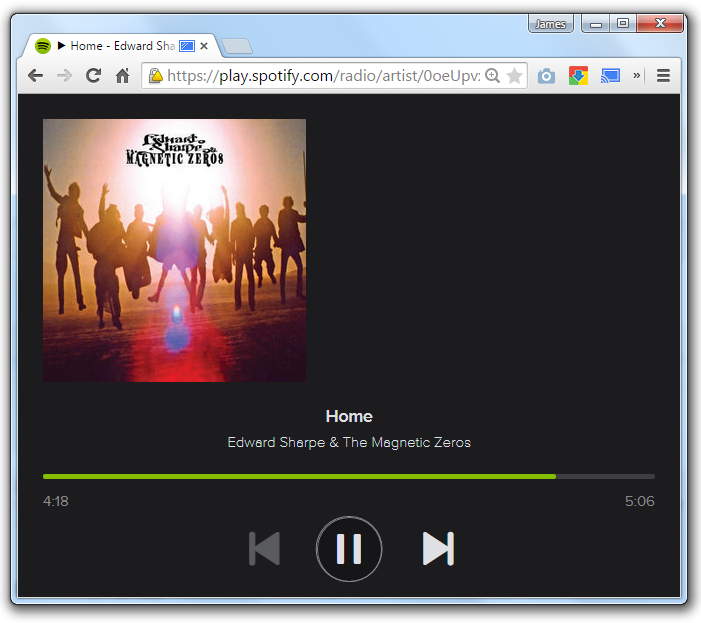
Here’s the code:
SpotMini Drag this link to your bookmarks bar.
if (typeof spotTgShown == 'undefined') {
 var spotTgShown = true;
};

function spotTg() {
 if (spotTgShown){
 spotTgShown = false;
 spotSm();
 } else {
 spotTgShown = true;
 spotLg();
 }
};

function spotSm() {
 $('now-playing').setStyle('right', 'auto').setStyle('left', '0');
 $('main-nav').setStyle('visibility', 'hidden');
 $('main').setStyle('visibility', 'hidden');
 $('suggest-area').setStyle('visibility', 'hidden');
 $('now-playing-widgets').setStyle('visibility', 'hidden');
 $('now-playing').setStyle('width', '100%');
 $$('body').setStyle('overflow', 'hidden');
 $('wrapper').setStyle('min-width', '0px');
};

function spotLg() {
 $('now-playing').setStyle('left', 'auto').setStyle('right', '0');
 $('main-nav').setStyle('visibility', 'visible');
 $('main').setStyle('visibility', 'visible');
 $('suggest-area').setStyle('visibility', 'visible');
 $('now-playing-widgets').setStyle('visibility', 'visible');
 $('now-playing').setStyle('width', '');
 $$('body').setStyle('overflow', '');
 $('wrapper').setStyle('min-width', '');
};
spotTg();